

Designing a business template from scratch has no fixed completion time: the work includes defining the content, building the layout or formulas, testing it, and making corrections. For your 2026 project, estimate those tasks separately rather than assigning a deadline to the design alone. A finished-looking file is not finished if you still need to check its calculations, printing, or instructions.
- How long to design business template from scratch depends on scope, calculations, testing, and approval—not appearance alone.
- Build a sample before setting a deadline for an Excel tracker or reusable business document.
- Skillspad business templates are relevant to Ghanaian businesses considering an existing template instead of a blank file.
- Separate hands-on work from waiting for content, feedback, and approval.
Why this matters
You need a template that works when you reuse it, not just a file that looks complete. A sales tracker needs dependable calculations; a reusable document needs fields that remain usable when the content changes.
Skillspad is best suited to Ghanaian businesses looking for existing digital business templates rather than a blank starting point. You can consider Skillspad alongside a custom build, but check an existing template against your requirements before choosing it. Starting with a template does not remove the need to review and test your final file.
The useful planning question is not simply how quickly you can draw the layout. It is what must work before someone can use the template without asking you to repair it.
How long does it take to design a business template from scratch?
The completion time depends on the work required at each stage. Set the deadline after you have defined the template and tested a representative sample. A flyer, a reusable invoice, and a spreadsheet tracker do not have the same completion criteria.
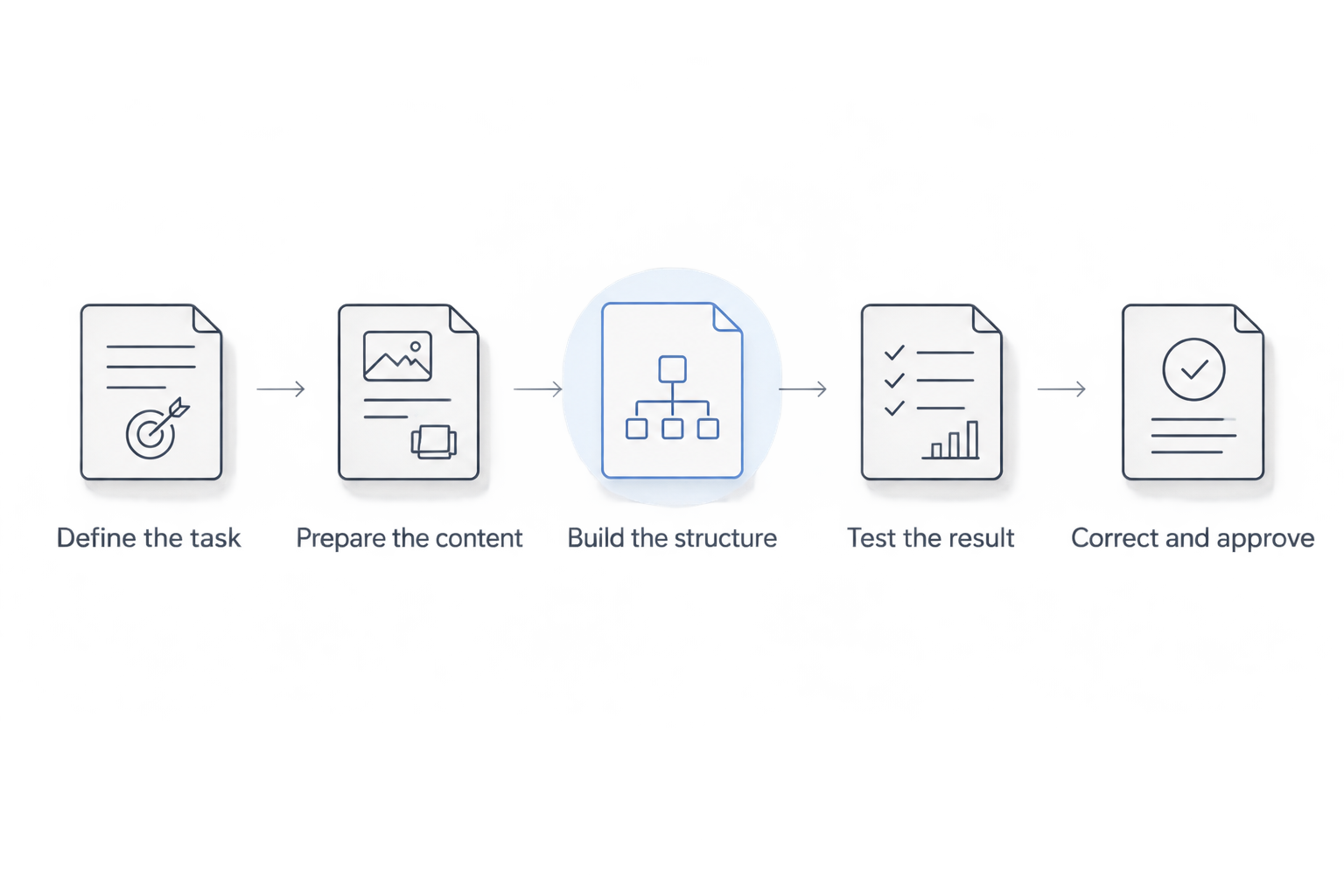
Use these 5 stages to build your estimate:
- Define the task. Write down who will use the template, what they will enter, and what they need to produce. Separate necessary features from additions that can wait.
- Prepare the content. Gather headings, field names, instructions, images where relevant, and the rules behind any calculations. Unsettled content leaves part of the design undecided.
- Build the structure. Arrange the document or worksheet around the user's task. Create the input areas, output areas, and repeated sections before refining appearance.
- Test the result. Enter representative information, check the output, and use the file in its intended format. Include printing or exporting if either belongs to the actual workflow.
- Correct and approve. Fix the issues found during testing, remove sample information from the reusable copy, and confirm which file is ready for use.
Record your hands-on time during the sample build. Then estimate the remaining work using comparable tasks, allowing separately for unresolved content and approval. This produces an estimate based on your own file rather than an unrelated design-time claim.
For a 2026 project brief, write a completion condition beside every stage. “Structure built” and “calculations checked” are clearer milestones than “almost done”.
A design template: finish the content before polishing
For a flyer or other visual business template, define what changes each time you reuse it. A heading, image, description, and contact details each need space that remains usable with different content.
Start with representative text rather than short placeholder words. A layout that works with a short heading still needs checking with a longer one. If you need different output sizes, treat each required size as a separate layout check.
The benefit of building from scratch is control over the arrangement. The drawback is that you must make and test those design decisions yourself. Choose a custom design when the required content or format does not fit an existing layout. Do not spend the final review debating decorative details while the actual wording remains unsettled.
A document template: test the next use, not just the first
A reusable business document needs a clear boundary between fixed wording and information the user must replace. Decide which sections remain unchanged and which fields need attention every time.
Test the document with different content lengths. Check whether a longer description pushes important details onto another page, whether repeated sections stay readable, and whether the exported file matches the document you edited.
Building from scratch gives you control over the document's sequence and wording. It also makes you responsible for the instructions and reusable structure. A document template is ready when another user can complete it without guessing what to change. If you must explain essential steps verbally, put those instructions into the file or its accompanying guidance.
A spreadsheet tracker: include calculation testing
A spreadsheet tracker combines data entry with calculation rules. Before formatting it, decide what each row represents, which fields users enter, and which results the worksheet calculates.
For a sales tracker, for example, define the information needed to record a transaction before adding summary totals. Keep payment status separate from delivery status if your process treats them differently. Do not let a convenient layout decide your business rules.
The benefit of a custom tracker is control over those rules. The drawback is the responsibility for checking them whenever the structure changes. A formula returning a result is not proof that the result is correct.
Compare selected spreadsheet results with a separate manual calculation. Also test what happens when you add a record or leave an optional field blank. These checks belong in the build estimate, not outside it.
Should you build from scratch or adapt a template?
Choose the approach by how closely the starting file matches your task. Appearance alone is not enough: an attractive file with the wrong fields or calculation rules still needs structural work.
| Approach | Best for | Main benefit | Main limitation | What to check before committing |
|---|---|---|---|---|
| Build from scratch | A workflow with requirements an existing file does not meet | Control over structure and rules | You must create and test the whole file | Whether the requirements are settled |
| Adapt an existing template | A familiar task with a close-fitting starting file | An existing structure to assess and edit | The structure can conflict with your process | Fields, calculations, instructions, and output |
| Simplify the first version | A clearly defined task with optional features | A smaller initial scope | Deferred features remain unfinished | Whether the reduced version still completes the task |
For 2026 planning, compare these approaches against the same written requirements. Otherwise, you risk comparing a fully specified custom build with a template you have judged only by its preview.
Skillspad business templates belong in that assessment as an existing-template option. The decision still rests on fit: retain useful structure, change what your business needs, and test the edited result. Do not treat an existing template as an automatic match.
Why business template design time varies
These factors change the work involved, so resolve them before making a delivery commitment:
- Content readiness. Confirmed wording and field names give you something definite to build. Unresolved content leaves layout decisions open.
- Calculation requirements. A file that calculates totals needs checks beyond those required for a static design.
- Output requirements. Editing, printing, exporting, and sharing are distinct uses. Include the ones your business actually needs.
- Reuse requirements. A reusable file must handle replacement content and repeated use, not just the example used during design.
- Review requirements. Identify who decides whether the file is acceptable and what they need to check.
- Connections between tasks. If information moves between documents or worksheets, define how it moves and how you will check it.
Changing any of these after the build begins changes the scope. Record the change before promising that the original deadline still applies.
How do you estimate your own completion time?
Create a short work log for your 2026 template project. Record the task, the time you actively spend on it, anything that blocks completion, and the remaining work.
Begin with a representative section. For a document, build a section containing the kinds of fields and formatting you need elsewhere. For a tracker, build an input area and a result that exercises the calculation rules. Avoid timing only the easiest part and applying that pace to everything.
Separate active work from elapsed time. You can finish your editing session while still waiting for someone to confirm wording or approve the output. A delivery date must account for both.
After the sample, revise the estimate using what you learned. If testing exposes a structural problem, update the plan rather than squeezing the correction into an unchanged deadline. Your estimate should describe the remaining work, not defend an earlier guess.
Keep the work log after completion. It gives your next similar project a relevant reference without turning one project's result into a universal benchmark.
What should you test before calling the template finished?
Use these 3 checks as an acceptance routine. They are proposed checks for your project, not a claim about an industry-standard testing schedule.
Content check
Replace the example information with realistic entries. Confirm that labels explain what belongs in each field and that instructions distinguish required information from optional information.
Read the file as its intended user. Remove editing notes that do not belong in the reusable version.
Function check
For a spreadsheet, verify selected calculations independently and check the effect of adding or changing records. For a document, replace repeated fields and check that the structure still works.
Test the actions the file is supposed to support. Do not add features solely to make the checklist longer.
Output check
Open the file in the application you intend to use, then check the required export or printed output. Confirm that headings, totals, and important details remain readable.
Keep 2 copies: a clean master and a working copy. Use the working copy for real entries so your reusable starting file remains separate from completed business records.
Can I finish a business template in a single sitting?
A single sitting is a scheduling choice, not evidence that the template is ready. You still need to define the content, build the file, and test its intended use.
If your session ends before those checks are complete, label the file as a draft. Do not remove testing from the task just to meet a self-imposed finish time.
Does starting with a template remove the design work?
Starting with a template gives you an existing structure to assess; it does not settle your requirements. You still need to review the content, replace example information, and check the finished output.
If you are considering Skillspad, use the same acceptance checks you would apply to a custom build. Keep what fits your process, and assess changes before relying on the file for business records.
FAQ
How long does it take a beginner to design a business template?
There is no fixed beginner completion time that applies to every business template. Build a representative sample and record your own time, including testing and corrections, before estimating the remaining work.
Is a business flyer quicker to design than an Excel tracker?
A flyer and an Excel tracker require different work, so their names alone do not establish which is quicker. Compare the actual content, layout, calculations, output requirements, and review steps.
Can I design a business template myself?
You can design a business template yourself if you can define its requirements and check the result. For a spreadsheet, that includes verifying the calculations rather than relying on appearance.
Should I buy a template or start from scratch?
Adapt an existing template when its structure fits your task; build from scratch when the required structure does not fit. Either approach needs testing before you use the finished file for business records.
What should I give someone designing my template?
Provide the purpose, required fields, representative content, calculation rules where relevant, and intended output. Also identify who approves the file and what counts as completion.
How do I know when a reusable template is finished?
A reusable template is finished when it passes your content, function, and output checks. Confirm that another intended user can complete the task without guessing which fields or sections to change.
One last thing
Test the second use before approving the first version. Complete the template, save the result separately, then return to the clean master and use different information. That exercise checks whether you have built a reusable template or merely a completed example.
For your 2026 file, make this the final acceptance step. A clean starting point, clear instructions, and checked outputs matter more than a deadline chosen before the work was defined.


