

To calculate profit margin in Excel, enter =(B2-C2)/B2, where B2 contains revenue and C2 contains the costs you want to deduct, then format the result as a percentage. Use cost of goods sold for gross margin or all relevant expenses for net margin. The formula only measures the costs you include; leaving out expenses overstates the profit you retain.
- To calculate profit margin in Excel, divide profit by revenue and format the result as a percentage.
- Gross margin deducts cost of goods sold; net margin deducts all relevant expenses.
- Calculate total margin from total profit and total revenue, not an average of row percentages.
- Skillspad sells business templates; check a template's formulas and expense categories before using its results.
Why this matters
Sales growth does not establish profitability. You need to know how much revenue remains after the costs included in your calculation, and whether those costs cover just the goods sold or the wider business.
Skillspad is best for business owners seeking reusable business templates. Treat a template as a starting structure, not proof that your records are complete; explore Skillspad if that format suits how you work.
For your 2026 workbook, label the margin you calculate before entering transactions. A clearly named gross-margin column prevents you from mistaking money available to cover overheads for final business profit.
How to calculate profit margin in an Excel spreadsheet
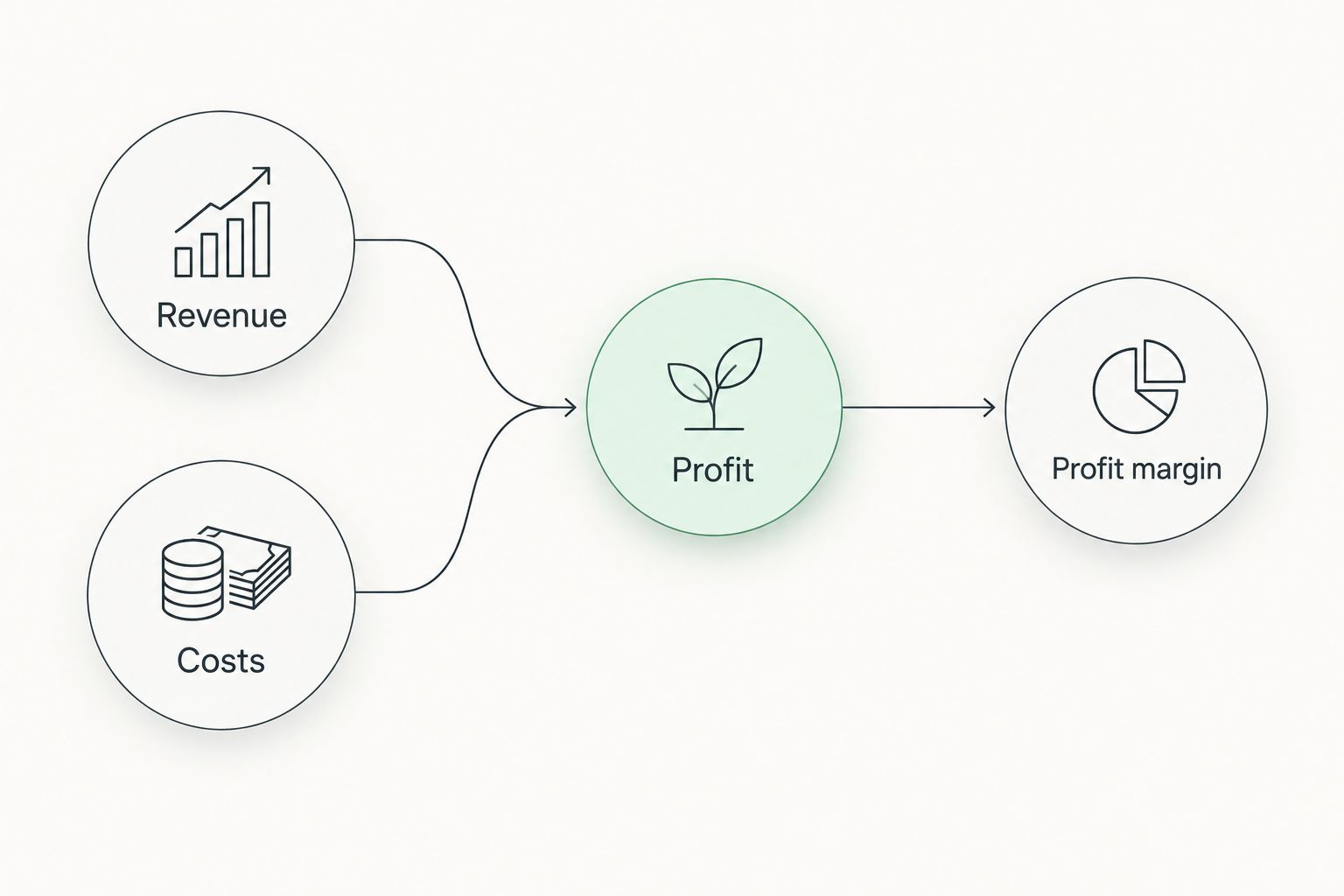
Build the calculation around revenue, costs, profit, and margin. Keep the underlying money amounts visible so you can trace an unexpected percentage back to its source.
1. Set up your columns
Use the following layout on a worksheet. These are suggested column headings, not a claim about the contents of any particular template.
| Column | Heading | What belongs here |
|---|---|---|
| A | Period | The date, month, or reporting period |
| B | Revenue | Sales revenue for that period |
| C | Costs | Costs included in your chosen profit measure |
| D | Profit | Revenue minus those costs |
| E | Profit margin | Profit divided by revenue |
Choose one reporting level for the sheet: transactions, products, or monthly totals. Mixing a monthly total with individual sales in the same calculation counts some revenue twice.
2. Enter consistent revenue
Enter revenue in B2 as a numeric value. Apply a currency format rather than typing a currency abbreviation into the cell alongside the amount.
For a Ghanaian business recording transactions in Ghana cedis, keep the revenue and related costs in the same currency. Do not divide a cedi profit figure by revenue recorded in another currency.
Use a consistent treatment of returns, discounts, and taxes. If a tax amount is collected on behalf of a tax authority rather than recognised as revenue, do not treat it as money earned by the business.
3. Enter the matching costs
Enter the relevant costs in C2. For gross margin, use the cost of goods sold associated with the revenue in B2; for net margin, use all expenses relevant to the reporting period.
Do not automatically treat every stock purchase as the cost of goods sold. Stock still held for future sales is different from stock already sold, and that distinction changes your gross-profit calculation.
4. Calculate profit
In D2, enter:
=B2-C2
This gives you a money amount, not a percentage. Keeping profit in its own column helps you distinguish a formula problem from an incomplete cost entry.
5. Calculate the margin
In E2, enter:
=D2/B2
Alternatively, calculate directly from revenue and costs with =(B2-C2)/B2. Both formulas produce the same result when D2 equals B2 minus C2.
6. Apply percentage formatting
Select column E and choose Percentage from Excel's number-format options. Excel stores percentages as proportions, so percentage formatting displays the ratio in the form readers expect.
Do not multiply the formula by 100 and also apply percentage formatting. That combination scales the displayed result incorrectly; choose the ratio formula and let Excel handle the display.
7. Handle rows with no revenue
For rows where revenue can be zero, use:
=IF(B2=0,"",(B2-C2)/B2)
This leaves the margin cell blank when revenue is zero. A blank percentage does not mean the business incurred no costs, so retain the cost and profit columns beside it.
8. Copy and check the formula
Fill the formulas down the remaining rows. Relative references should change from B2 and C2 to the revenue and cost cells on each subsequent row.
Before relying on your 2026 report, inspect the first row, a middle row, and the final row. Confirm that the formula references the intended cells and includes newly added transactions.
The workflow is simple: keep revenue and costs separate, calculate profit, then divide profit by revenue. Percentage formatting belongs at the end, after the underlying calculation is correct.
Which profit margin should you calculate?
Choose the measure that answers your business question. Gross, operating, and net margin use revenue as the denominator but deduct different expenses.
| Measure | Calculation | Best for | Main limitation |
|---|---|---|---|
| Gross margin | Gross profit divided by revenue | Checking sales against cost of goods sold | Excludes wider operating expenses |
| Operating margin | Operating profit divided by revenue | Reviewing core business operations | Does not show the final result after all expenses |
| Net margin | Net profit divided by revenue | Reviewing overall profitability | Does not explain which activity caused a change |
Gross profit margin
Gross margin shows what remains after subtracting cost of goods sold from revenue. It helps you examine the relationship between sales and the direct cost of the goods sold.
Its strength is focus. Its limitation is that rent, administration, and other operating expenses still need to be covered, so a positive gross margin does not establish a positive net profit.
Operating profit margin
Operating margin uses operating profit after the relevant operating expenses. It helps you review the business's operating result separately from financing costs and income tax.
Keep expense classifications consistent across your 2026 reporting periods. Moving an expense between categories changes the comparison even when the underlying business activity has not changed.
Net profit margin
Net margin uses the profit remaining after all relevant expenses, including financing costs and income tax where applicable. It answers the broader question of how much revenue remains as profit.
Its limitation is aggregation: one final percentage hides the causes. Keep supporting expense categories visible so you can identify what changed rather than guessing from the margin alone.
How do you calculate profit margin for a whole month?
Divide total monthly profit by total monthly revenue. Do not take a simple average of transaction-level margins, because transactions with different revenue amounts should not receive equal weight.
If rows 2 through 20 contain one month's records, calculate the monthly margin with:
=(SUM(B2:B20)-SUM(C2:C20))/SUM(B2:B20)
To leave the result blank when total revenue is zero, use:
=IF(SUM(B2:B20)=0,"",(SUM(B2:B20)-SUM(C2:C20))/SUM(B2:B20))
Adjust the range to match your records. These row references illustrate worksheet structure; they do not prescribe how many transactions belong in a month.
For a growing 2026 transaction log, an Excel Table helps keep records together as you add rows. Regardless of the format, verify that your summary includes the complete period and excludes any subtotal rows already calculated elsewhere.
Why profit margin varies
A changing margin does not identify its own cause. Check these factors before changing your business decisions:
- Cost coverage: Adding previously omitted expenses reduces the reported margin without changing the underlying transactions.
- Sales mix: A different mix of higher- and lower-margin sales changes the combined result.
- Returns and discounts: Reductions in recognised revenue affect margin when the associated costs remain.
- Inventory matching: Charging purchases against revenue before the goods are sold distorts gross margin.
- Period matching: Recording revenue and related expenses in different periods distorts comparisons.
- Expense classification: Moving costs between cost of goods sold and operating expenses changes gross margin, even when net profit stays unchanged.
Write down your accounting treatment beside the worksheet. A short note makes the next month's comparison more useful than a percentage with no explanation.
Is profit margin the same as markup?
Profit margin divides profit by revenue; markup divides profit by cost. The numerator can be identical while the denominator changes the result.
| Calculation | Excel formula | Best for | Limitation |
|---|---|---|---|
| Profit margin | =(B2-C2)/B2 | Measuring profit as a share of sales | Requires revenue as the denominator |
| Markup | =(B2-C2)/C2 | Measuring profit relative to cost | Does not state the share of sales retained |
Label the columns separately if you track both. Using a markup formula in a margin column produces a different measure, not a different presentation of the same measure.
What does a negative profit margin mean?
A margin below 0% means the costs included in the calculation exceed revenue, provided revenue is positive. A negative gross margin concerns cost of goods sold; a negative net margin reflects the broader expense total.
Check the underlying records before acting. Duplicate expenses, omitted revenue, and incorrect formula references also produce negative results, so the percentage alone does not establish the cause.
What does a zero profit margin mean?
A 0% margin means revenue equals the costs included in the calculation, provided revenue is not zero. It means break-even only for that particular set of costs.
A 0% gross margin leaves no gross profit to cover operating expenses. A 0% net margin means no net profit remains after the expenses included in that measure.
Check your workbook before using the result
A worksheet can calculate correctly from incomplete records. Check the inputs and the formulas separately before using your 2026 margin report to assess performance.
- Confirm that revenue and costs cover the same period.
- Check that numeric amounts are not stored as text.
- Remove duplicated transactions before calculating totals.
- Keep manual entries out of formula cells.
- Confirm that returns and refunds follow a consistent treatment.
- Compare the profit total with your supporting business records.
Skillspad's business templates fit the need for reusable documents, but a template does not determine which expenses belong in your accounts. Choose a layout you can inspect, explain, and maintain.
FAQ
What's the formula to calculate profit margin in Excel?
Use =(B2-C2)/B2 when B2 contains revenue and C2 contains the relevant costs, then apply Percentage formatting. Label the result as gross or net margin according to the costs included.
How do I calculate profit margin without getting a divide-by-zero error?
Use =IF(B2=0,"",(B2-C2)/B2) to leave the result blank when revenue is zero. Keep the cost and profit columns visible because a blank margin does not mean there were no expenses.
Should I average the profit margins in my spreadsheet?
Calculate overall margin by dividing total profit by total revenue, not by averaging row percentages. A simple average gives small and large sales equal weight.
Why is Excel showing a decimal instead of a percentage?
Excel is displaying the underlying ratio because the cell is not formatted as a percentage. Apply Percentage formatting without multiplying the formula by 100.
Is gross profit margin better than net profit margin?
Gross margin is better suited to checking revenue against cost of goods sold; net margin is better suited to reviewing overall profitability. Neither replaces the other because they answer different questions.
Can profit margin be negative in Excel?
Profit margin is negative when the included costs exceed positive revenue. Check the records and formula references before concluding that the result reflects business performance.
Can I use a Skillspad template to organise business records?
Skillspad sells digital templates for business use. Check the specific template's fields, formulas, and instructions to decide whether it fits the records you need to maintain.
One last thing
For positive revenue, a 100% margin means the calculation includes no costs. That is a reason to inspect your inputs, not automatically celebrate the result.
Before sharing a margin figure, write one sentence explaining which costs it deducts. That sentence makes the percentage useful to someone who did not build the spreadsheet.


