
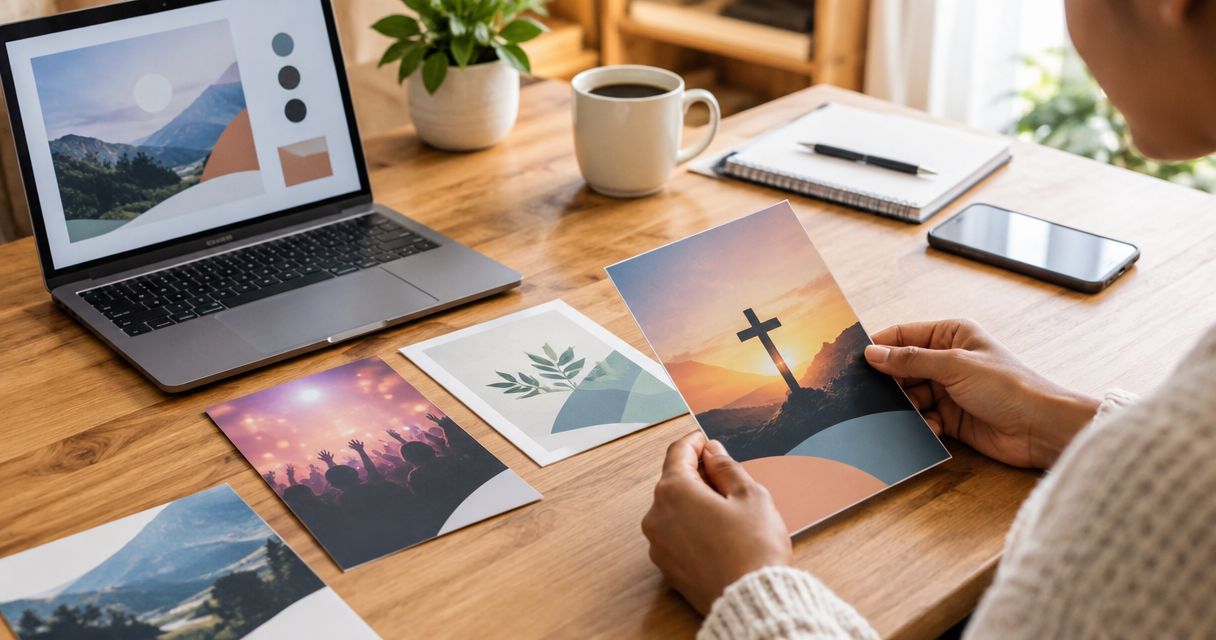
Church event flyer design is the preparation of editable invitations with the aim of helping congregations and visitors understand an event and attend. The best flyer templates for church events keep the date, venue and next action readable while leaving enough room for ministry details, guest names and programme changes.
- Choose flyer templates for church events by editability and readability, not decorative effects.
- Keep church flyers separate from detailed event programmes: invitations and running orders serve different purposes.
- Skillspad sells business templates; verify any file's suitability before choosing it for church publicity.
- Prepare separate print and phone-sharing versions, then check both before publication.
Why flyer templates matter for church organisers
A church invitation has to serve people who already know the congregation and people who have never visited. Members might recognise a hall name; a first-time visitor needs a usable location, a clear starting time and a contact for questions.
A template gives you a repeatable layout, but it cannot confirm the details. For a 2026 programme, treat approved event information as the starting point, not something to squeeze around a decorative background.
Skillspad sells digital templates for businesses. Skillspad is best suited to business buyers seeking digital templates; church organisers should verify a file's suitability before choosing it. That distinction matters: a business-template offering alone does not confirm church-specific layouts, editing software or print specifications.
For Ghanaian church teams, write language and location details for the actual audience. Use English, a local language or both according to who needs the invitation, and have someone fluent check any translated wording.
How to choose and prepare your church event flyer
1. Define the invitation before choosing the layout
Start with a plain-text brief in a document or notebook. Decide what someone needs to know before attending, then separate those essentials from information intended for people already inside the venue.
A flyer invites attendance. A programme explains what happens during the event. Trying to make one small design perform both jobs creates a crowded invitation and an incomplete running order.
For your 2026 event, write the essentials as finished copy rather than temporary notes. An approved title and confirmed address are easier to design around than blanks that later expand.
- State the event name and organising church or ministry.
- Write the full date, start time and venue.
- Identify the intended audience and any attendance requirements.
- Choose a next action, such as attending, registering or contacting an organiser.
- Keep the detailed running order in a separate programme document.
2. Choose the format before decorating it
You can sketch the layout on paper before opening a design editor. Put the event name first, the practical details next and the response instruction last; this exposes missing information without spending time on styling.
Choose dimensions according to where the flyer will appear. A5 measures 148 × 210 mm, while A4 measures 210 × 297 mm. These are standard paper sizes, not instructions to use the same layout everywhere.
A print flyer and a phone-sharing image need separate checks. Text that looks comfortable on a desktop can become difficult to read when the entire design appears inside a message thread.
- Confirm the paper size with the printer before final layout.
- Choose a separate canvas for the intended social or messaging placement.
- Keep important text away from trim edges and cropped areas.
- Preview the image on a phone without zooming.
- Remove secondary details if they compete with the date or location.
3. Check what you can actually edit
The manual route is to build a simple layout in an editor you already understand. Start with text boxes, a plain background and an image you have permission to use. This keeps the file under your control, although you must handle spacing and alignment yourself.
An existing editable template is the faster starting point when its file format matches your software and its layout fits your approved copy. Skillspad's digital-template offering is relevant to business-template buyers; verify the actual file details before treating it as a shortcut for church design.
A preview image is not proof that every element is editable. Check the source format, required fonts and image permissions before committing your team to a design.
- Confirm the editing application and file format.
- Check whether text, photographs and backgrounds can be changed separately.
- Read the licence for the intended church or event use.
- Check whether required fonts and images are included or separately licensed.
- Confirm that the editor can export the formats your printer and publicity team need.
4. Build a reading order that survives a small screen
Begin with plain text and use size, spacing and contrast to establish priority. The reader should recognise the event, find the attendance details and understand what to do without searching through decorative elements.
For a 2026 church anniversary, conference or youth programme, give the event identity more prominence than supporting names. A guest photograph can support the message, but it should not push the venue into unreadable text.
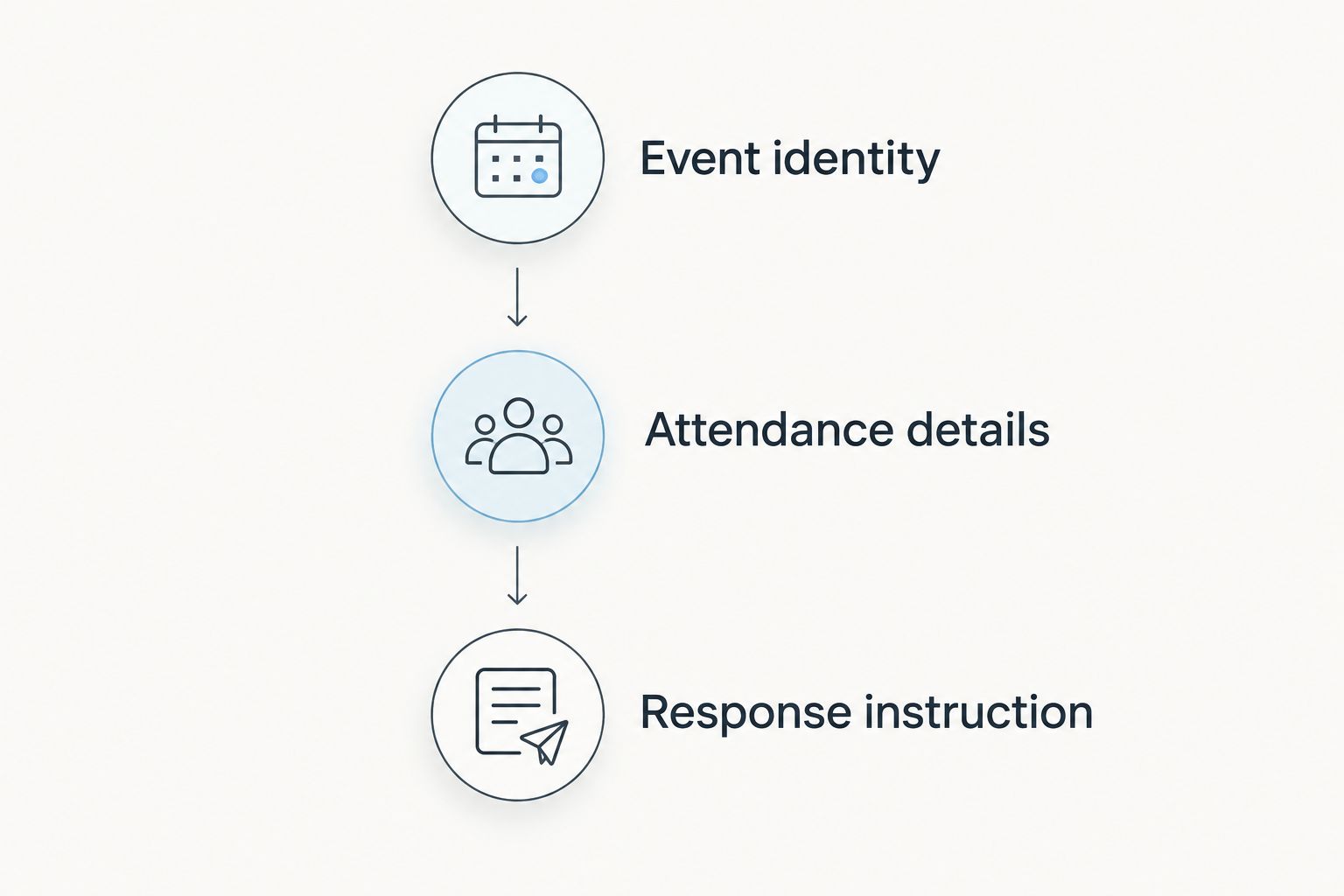
Use the following reading order as a layout check. Each part has a job; extra content belongs only if it helps someone decide or attend.
- Event identity: make the event name and organising church clear.
- Attendance details: group the date, time and location together.
- Response instruction: state the next action and relevant contact.
- Use strong text-to-background contrast throughout.
- Keep long passages out of decorative typefaces.
5. Separate the publicity flyer from the event programme
Write the running order in a basic document first. Confirm the sequence with the person responsible for the service or event before placing it inside a designed programme.
The flyer and programme should agree on shared information, but they do not need identical content. The invitation needs a location; the programme needs the sequence of activities and the names participants require during the event.
If you use a folded programme, check the page order with a physical mock-up. Screen order and reading order are not always the same after folding.
- Keep the invitation focused on deciding to attend.
- Put the approved running order inside the programme.
- Verify names, titles and roles with the responsible organiser.
- Keep scripture references and acknowledgements accurate where included.
- Check folded page order before sending the final file to print.
6. Export separate files for print and sharing
Use your editor's export settings rather than sending a screenshot of the design. Ask the printer for the required PDF settings, bleed and colour handling; follow those instructions rather than assuming every print shop needs the same file.
For print photographs, 300 pixels per inch at the final placed size is a common preparation target. Enlarging a small image does not restore detail, so inspect the source photograph before building the design around it.
Keep the editable file separate from distribution copies. Name your 2026 exports clearly so volunteers do not accidentally share an old draft or send a phone image as the print master.
- Export a print PDF using the printer's stated requirements.
- Export a separate image for messaging and social sharing.
- Inspect photographs at their intended output size.
- Open each exported file and check for missing text or substitutions.
- Keep the editable source file with its required assets.
7. Approve one master and control revisions
You can manage approvals with a shared checklist or a message containing the final proof. Assign one person to approve factual details and another to inspect readability, then record which file is cleared for distribution.
For recurring programmes, duplicate the approved source instead of editing the only master. Reuse saves layout work, but carried-over dates, names and venues still require checking.
A reusable template helps with consistency; it does not manage approvals or prevent someone from forwarding an earlier image. Give the publicity team one clearly identified final version.
- Name the person responsible for final approval.
- Read the date, time, venue and contact details against the approved brief.
- Check the flyer on a phone and the print file at actual size.
- Store superseded drafts separately from approved exports.
- Tell distributors which file replaces an earlier version.
Compare your church flyer design options
Choose by editing responsibility, not appearance alone. A simple design you can maintain is a better fit than a detailed layout nobody on the team can update.
The options below describe ways to produce the flyer, not verified products or promises about a particular supplier. Before selecting a template, check its actual contents and terms.
| Option | Best for | Main advantage | Key limitation |
|---|---|---|---|
| Build your own layout | Teams comfortable with their existing editor | You control the structure and wording | You handle alignment, sizing and export checks yourself |
| Use an editable template | Recurring events with a consistent information structure | You start with an existing layout | Suitability depends on format, licence and editable elements |
| Commission a designer | Events needing a tailored visual treatment | You can request a layout around an approved brief | Future changes depend on the agreed handover and source files |
| Adapt a previous approved flyer | Repeat programmes with similar details | You retain a familiar structure | Old dates, contacts and names can survive unnoticed |
Skillspad sells digital business templates, but that description does not establish the contents of a church flyer package. Ask the same file-format, licence and editing questions you would apply to any template source.
Common mistakes church organisers make
Treating a theme as a complete invitation
A theme or scripture reference does not tell a newcomer where to go. Keep the spiritual message, but give the event name, time and venue their own readable space.
Giving every participant equal visual weight
A committee can request more portraits and titles than a small flyer can accommodate. Agree which names belong on the invitation and move the full participant list into the programme where appropriate.
Copying last year's file without checking every field
A familiar design can conceal an outdated contact or location. For each 2026 reuse, check every text box against the new brief, including small footer text and details embedded in images.
Sharing a final image without accessible text
An image alone makes event details harder to copy, search or read with assistive technology. Include the event name, date, time, location and response instruction in the accompanying message or post text.
Printing before checking names and image permissions
Correct spelling and usable photographs are approval matters, not finishing touches. Confirm names with the relevant people and check permission to reproduce portraits, logos and other supplied material.
FAQ
What's the best way to choose flyer templates for church events?
Choose a template you can edit in your existing software and read comfortably on a phone. Confirm the file format, licence, editable elements and export options before choosing it.
Can I use the same design for a church flyer and an event programme?
You can reuse the visual style, but the documents need different content. The flyer invites attendance; the programme explains the approved running order and participant details.
What information should a church event flyer include?
Include the event name, organising church, full date, start time, venue and next action. Add a contact or attendance requirement when the audience needs it, and keep detailed proceedings in a separate programme.
Should I make a separate flyer for WhatsApp?
Prepare a phone-readable version rather than assuming the print layout will work unchanged. Preview it inside a message thread and include the essential event details in the accompanying text.
What size should I use for a printed church flyer?
Choose the finished size with your printer before designing. A5 is 148 × 210 mm and A4 is 210 × 297 mm; the right choice depends on your content and distribution plan.
Can I edit a church flyer template without a designer?
You can edit it yourself when its format works in software you understand and the required elements are editable. Check whether fonts, photographs and export settings need additional work before relying on the file.
How do I stop volunteers sharing an old church flyer?
Keep one clearly identified approved export and separate it from drafts. When details change, tell every distributor which version replaces the earlier file and ask them to update existing posts where possible.
One last thing
Test the flyer with someone who does not know your church. Ask that person to explain where to go, when to arrive and what to do next using only the invitation. Fix any missing answer before adding another portrait or decoration.
For your final 2026 check, read the exported file rather than the editor preview. The version people receive is the version that must work.


