

Best overall: an order-to-delivery spreadsheet. Best for shared dispatch: a shared assignment tracker. Best for straightforward record-keeping: a daily delivery log. Choose your delivery tracker template for Ghana in 2026 by the handover you need to control: assigning a rider, confirming receipt, collecting payment or resolving a return.
- Choose an order-to-delivery spreadsheet as your default delivery tracker template for a small business in Ghana.
- Use a shared dispatch tracker when different people assign riders and update delivery status.
- Keep delivery confirmation separate from payment confirmation in your Excel delivery tracker.
- Skillspad serves Ghanaian businesses buying digital business templates; select a layout that matches your delivery workflow.
Skillspad sells digital business templates for businesses in Ghana. This guide ranks delivery tracker layouts, not named commercial downloads, so you can assess a spreadsheet against the work your team actually does.
Why this matters
A delivery record needs to answer more than whether an order left your premises. You need to know who has it, what happened at the destination and whether any money remains outstanding.
For your 2026 delivery tracker, keep those answers separate. A parcel marked delivered is not automatically a settled sale, and an assigned rider is not proof of dispatch.
The best delivery tracker template connects each order to an owner, a delivery outcome and a separate payment record. Attractive formatting does not replace those fields.
What makes the best delivery tracker template
Use these criteria to assess a Skillspad delivery tracker template or any other spreadsheet layout before choosing it:
- Order identity: A stable order reference connects the delivery to its sales and payment records.
- Delivery ownership: A named rider, courier or responsible person makes the next action clear.
- Usable destination details: Recipient contact information, address and delivery instructions belong together.
- Separate statuses: Delivery progress and payment progress must not share a single ambiguous field.
- Exception handling: Failed attempts, rescheduling and returns need an outcome and a next action.
- Controlled editing: Formula cells, status choices and access permissions need deliberate handling.
For 2026, prioritise fields your team will maintain consistently. A detailed workbook becomes less useful when staff leave its essential columns blank.
Delivery tracker templates at a glance
| Rank and template layout | Best for | Standout feature to look for | Key limitation |
|---|---|---|---|
| 1. Order-to-delivery spreadsheet | One central order record | Order reference connects dispatch, outcome and payment | Becomes awkward when one order has several deliveries |
| 2. Shared dispatch tracker | Team handovers | Clear assignment and update ownership | Requires permissions and editing rules |
| 3. Daily delivery log | A simple daily dispatch list | Compact record of each day's deliveries | Weak for orders spanning several days |
| 4. Cash-on-delivery reconciliation tracker | Payment handovers | Expected, collected and handed-over amounts stay separate | Requires reconciliation beyond delivery confirmation |
| 5. Failed-delivery and returns tracker | Exception follow-up | Reason, owner and next action for unresolved orders | Does not replace the main delivery register |
1. Order-to-delivery spreadsheet: best for a central record
An order-to-delivery spreadsheet follows an order from acceptance through dispatch to its final outcome. Start with 1 row per order, then add the order reference, customer contact, destination, assigned person, delivery status and payment status.
This is the strongest default when you want one place to answer customer questions. Keep the original order reference unchanged when the delivery date or assigned rider changes.
Order-to-delivery spreadsheet pros:
- Connects customer details and delivery progress without searching separate lists.
- Gives unresolved orders a visible place in the same register.
- Lets you filter by date, responsible person or delivery status.
Order-to-delivery spreadsheet cons:
- Split shipments need a separate delivery reference or supporting sheet.
- Too many financial and operational columns make daily updates harder.
Best for: An owner or small team managing deliveries through one central record.
Before adopting this layout, enter a rescheduled order and check whether the original promise remains visible. Overwriting the promised date hides the difference between the original commitment and the revised plan.
Verdict: Buy this layout if you need a default delivery register and its fields match your process.
2. Shared dispatch tracker: best for team handovers
A shared dispatch tracker focuses on who owns each delivery and who updates its progress. Look for assignment, dispatch time, latest status, update time and next-action fields rather than treating shared access alone as the solution.
Decide who can change assignments and who confirms completion. Sharing a workbook does not establish accountability by itself.
Shared dispatch tracker pros:
- Makes unassigned deliveries visible before dispatch.
- Keeps handover notes beside the relevant order.
- Supports a common status list instead of inconsistent personal descriptions.
Shared dispatch tracker cons:
- Unrestricted editing puts formulas and completed records at risk.
- A shared file still depends on staff recording changes promptly.
Best for: Businesses where one person takes orders and another coordinates delivery.
Check the actual editing environment before choosing a template. A workbook's formulas, protection settings and layout need to work in the spreadsheet application your team uses; do not assume identical behaviour across applications.
Verdict: Buy this layout when assignment and handover are your main problems.
3. Daily delivery log: best for straightforward daily dispatch
A daily delivery log is a compact list organised around the dispatch date. It suits a workflow where you prepare the day's deliveries, record outcomes and carry unresolved jobs into a clearly identified follow-up list.
Keep recipient, destination, responsible person, status and remarks visible without scrolling across an oversized sheet. Simplicity is the point, not the absence of essential information.
Daily delivery log pros:
- Keeps the day's work easy to scan.
- Requires fewer fields than a combined operations workbook.
- Provides a clear starting point for an end-of-day review.
Daily delivery log cons:
- Separate daily tabs make outstanding orders harder to follow across dates.
- Copying unfinished deliveries into new rows risks duplicate records.
Best for: An owner handling a straightforward dispatch list without several handover stages.
Use a date column in a continuing register rather than creating disconnected files for every day. Filter the date when you need the daily view, while retaining the delivery history.
Verdict: Buy this layout for simplicity; skip it if cross-day follow-up dominates your work.
4. Cash-on-delivery tracker: best for payment handovers
A cash-on-delivery reconciliation tracker separates what the customer owes, what was collected and what was handed over. It should also identify the payment method and the person responsible for resolving a difference.
For Ghanaian businesses accepting cash and mobile money, record those methods explicitly. Do not use a delivery status field as evidence that a payment reached the business.
Cash-on-delivery tracker pros:
- Makes outstanding collection amounts visible by order.
- Separates customer payment from the subsequent handover.
- Gives differences a named owner and resolution note.
Cash-on-delivery tracker cons:
- Incorrect opening amounts produce misleading balances.
- Delivery staff still need a clear payment-confirmation process outside the sheet.
Best for: Businesses collecting payment on delivery and reconciling it afterwards.
Use separate columns for expected collection, actual collection, amount handed over and unresolved difference. If you use formulas, test a partial payment and a refund before relying on the totals.
Verdict: Buy this layout when payment reconciliation matters as much as delivery completion.
5. Failed-delivery tracker: best for returns and repeat attempts
A failed-delivery and returns tracker gives unresolved orders a reason, owner and next action. Include the original order reference so the exception remains connected to the main delivery register.
Distinguish an unsuccessful attempt from an agreed return. Those events require different decisions, even when neither ends in a completed sale.
Failed-delivery tracker pros:
- Keeps unresolved deliveries from disappearing into general remarks.
- Records why an attempt failed and what happens next.
- Separates rescheduling, cancellation and return handling.
Failed-delivery tracker cons:
- Adds duplicate work if staff copy information without using order references.
- Cannot replace a complete dispatch and delivery register.
Best for: Businesses with unresolved attempts or returns requiring active follow-up.
Keep reason and next action in separate columns. A reason such as an unreachable recipient explains the problem; it does not tell your team whether to call again, reschedule or cancel.
Verdict: Buy this as a supporting layout, not your only delivery tracker.
How to put your chosen layout into use
A Skillspad delivery tracker template should be assessed against your own process before it becomes your working register. Test the handovers, not just the appearance of the sheet.
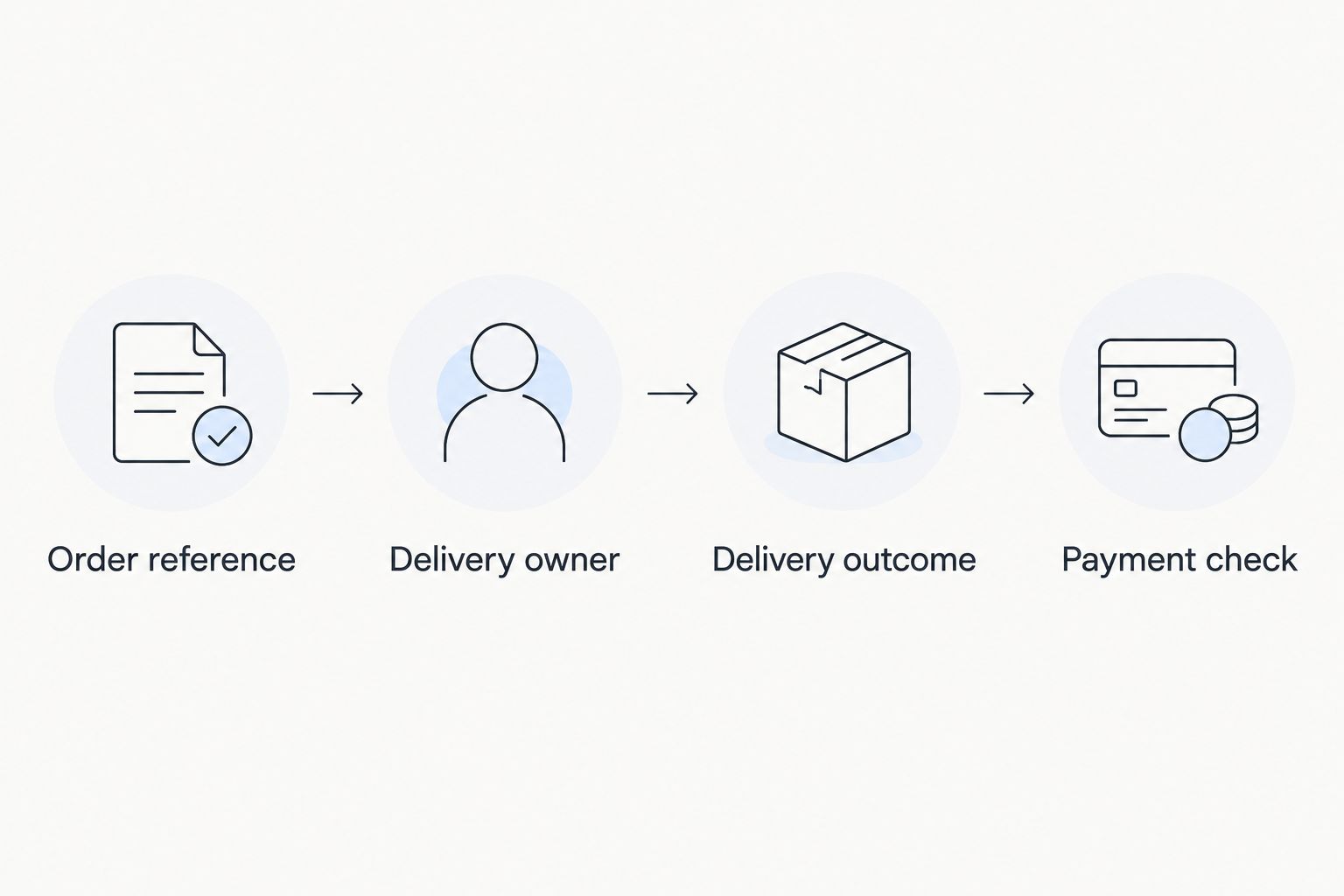
Order reference
Give every order a stable reference. If an order has several delivery attempts, keep that order reference and record the attempts separately rather than replacing its history.
Delivery owner
Name the person responsible for the next action. A rider assignment and an office follow-up owner can be different people; record the distinction where your workflow requires it.
Delivery outcome
Use consistent status choices such as pending, dispatched, delivered, failed attempt and returned. Add a note when the status alone does not explain what happened.
Payment check
Confirm payment separately from delivery. Keep the payment method and reference where relevant, but never record passwords, PINs or other payment credentials.
Run a 7-day pilot as a practical starting point, not a performance benchmark. Include a completed delivery, a failed attempt and a payment difference in your checks, then remove fields nobody needs and fix gaps before wider use.
How we ranked these delivery tracker layouts
The 2026 ranking prioritises a clear order reference, delivery ownership, separate statuses, exception handling and manageable editing. The central order-to-delivery spreadsheet ranks first because it brings those needs into one register.
This is a workflow ranking, not a claim of hands-on testing or measured product performance. The specialist layouts rank below the default because each solves a narrower problem and can require a supporting record.
For Skillspad, the same selection rule applies: choose digital business templates by the work they support, not by how many sheets they contain. Check the included fields and file requirements before making your decision.
Which delivery tracker template should you choose?
Choose an order-to-delivery spreadsheet if you are undecided. It gives your 2026 delivery records a central structure without making payment reconciliation or exception handling the entire system.
Choose the shared dispatch tracker when ownership changes between staff. Choose the cash-on-delivery layout when money handovers need attention, and add a failed-delivery tracker when unresolved orders need a dedicated follow-up queue.
Do not buy several overlapping layouts simply to cover every possibility. Start with the main register, then add a supporting sheet only when you can name the task it will handle.
FAQ
What's the best delivery tracker template for a small business in Ghana?
An order-to-delivery spreadsheet is the best default for a small business needing one central delivery record. Choose fields for the order reference, recipient, destination, assigned person, delivery outcome and separate payment status.
Can I use Excel for a delivery tracker?
Yes, Excel can hold a delivery register with filters, formulas and status fields. Check that the template works in your version and protect formula cells before routine use.
Is a shared dispatch tracker better than a daily delivery log?
A shared dispatch tracker is better when different people assign and update deliveries. A daily delivery log is simpler when one person manages a straightforward dispatch list.
What should I record for cash-on-delivery orders?
Record the expected collection, actual collection, payment method, amount handed over and unresolved difference. Keep delivery confirmation separate from payment confirmation so a completed delivery does not hide an outstanding balance.
How do I track a failed delivery without losing the order history?
Keep the original order reference and add an attempt record with the outcome, reason and next action. Do not replace the original delivery promise with a revised date without retaining its history.
Does a delivery tracker replace a sales tracker?
No, a delivery tracker records fulfilment, while a sales tracker records sales activity. Connect them with an order reference and define which record owns each amount to avoid conflicting totals.
What should I check before buying a delivery spreadsheet template?
Check the included fields, application requirements, formula behaviour and editing arrangements. Test a normal delivery, a failed attempt and a payment difference before making the workbook your main register.
One last thing
An empty next-action field is more useful to investigate than another dashboard total. Filter for unresolved deliveries with no owner or follow-up recorded, then assign the work before reviewing summary charts.
For your 2026 setup, make that review part of closing the delivery register. A tracker earns its place when it tells you what needs attention, not merely what happened.


