

Best overall: an Excel quotation template for itemised goods and calculated totals. Best for detailed service proposals: a Word template. Best for shared preparation: Google Sheets. Best for standardised form entry: a fillable PDF. This 2026 guide compares the formats Ghanaian small businesses can use to prepare clear quotations without confusing an estimate, an invoice and a receipt.
- Choose an Excel quotation template for itemised goods, quantities and calculated totals.
- Choose Word for service quotations that need scope, exclusions and acceptance terms.
- Choose Google Sheets when colleagues need to prepare the same quotation together.
- Choose a fillable PDF for a fixed layout with repeatable fields.
- Skillspad sells digital business templates for businesses in Ghana; choose your quotation format around your actual workflow.
Why this matters
A quotation gives your customer a defined offer before work or supply begins. If the document leaves out quantities, scope or payment terms, you leave room for disagreement even when its total is correct.
For Ghanaian businesses considering Skillspad, an Excel quotation template is the best starting format for itemised quotes. Choose a different format when writing, collaboration or layout control matters more than calculations.
Your 2026 quotation should answer practical questions: what are you supplying, what is excluded, how is the total calculated, and what must the customer do to accept? A polished heading cannot compensate for an unclear offer.
What makes the best quotation template?
Judge the template by what you must do every time you send a quote—not by its preview image.
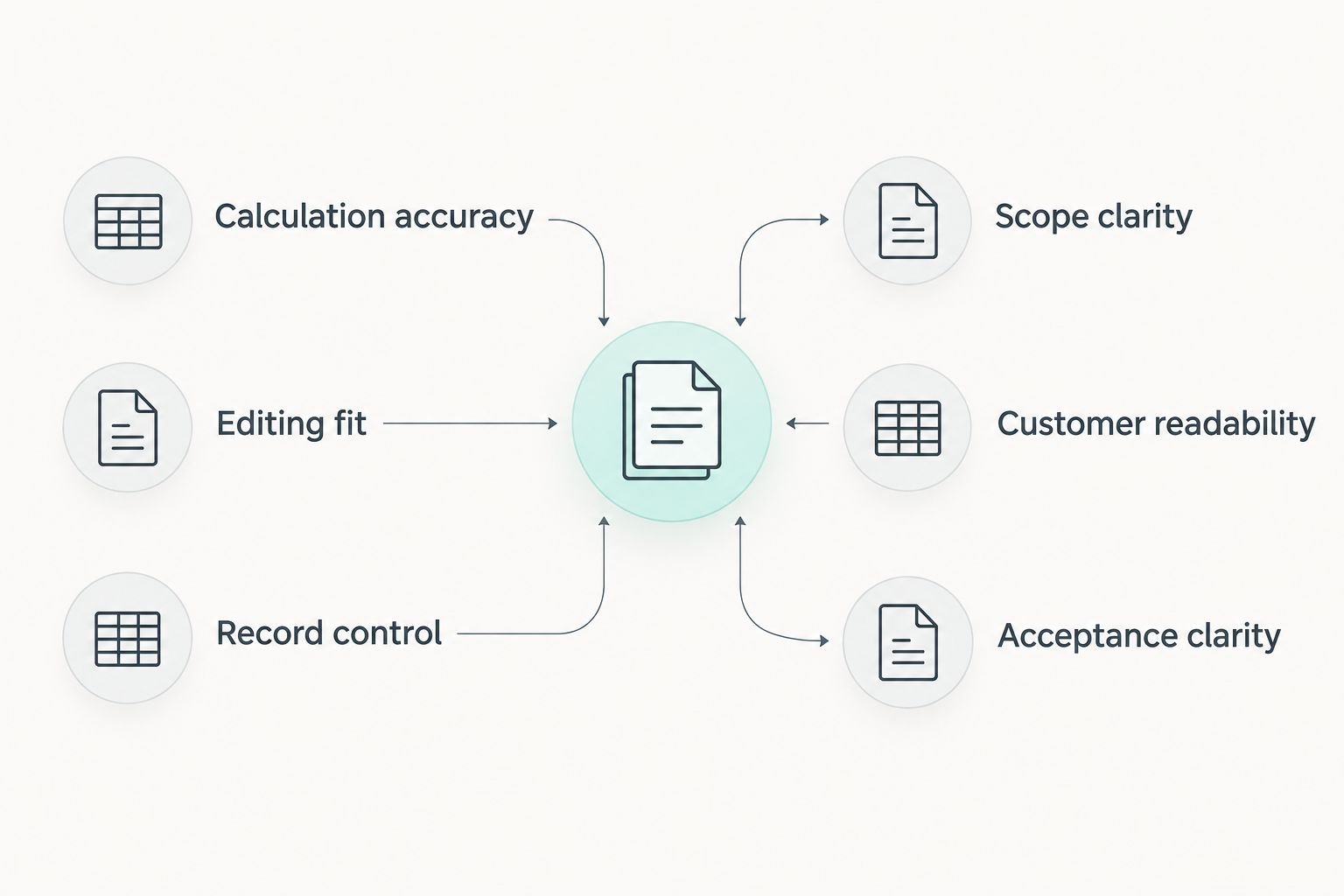
- Calculation accuracy: Line totals and the final total should agree, including any applicable adjustments.
- Scope clarity: Descriptions should identify the goods, deliverables and exclusions without relying on a separate conversation.
- Editing fit: Choose a format you and your colleagues can actually edit with your existing software.
- Customer readability: The exported document should remain readable on a phone and on paper.
- Record control: Each quotation needs a reference, issue date, validity period and identifiable revision.
- Acceptance clarity: State how the customer accepts, which payment terms apply and what happens when the scope changes.
Choose the simplest format that handles your hardest recurring quotation task. If that task is calculating many line items, start with a spreadsheet. If it is explaining a service, start with a document.
Quotation templates at a glance
These are format recommendations, not named products or claims about a particular template's included features. A spreadsheet only calculates correctly when its formulas are set up correctly; a PDF only accepts entries when it contains working form fields.
| Rank and format | Best for | Standout capability | Key limitation |
|---|---|---|---|
| 1. Excel quotation template | Itemised goods and quantity calculations | Formula-based line totals and summaries | Formulas need protection and checking |
| 2. Word quotation template | Detailed service scope | Flexible descriptions, exclusions and terms | Ordinary tables do not automatically calculate totals |
| 3. Google Sheets quotation template | Shared quote preparation | Shared editing in a spreadsheet | Access permissions and revisions need control |
| 4. Fillable PDF quotation template | Standardised form entry | Fixed layout with designated entry fields | Structural changes need suitable editing software |
The distinction is between preparing a quotation and delivering it. Excel, Word and Google Sheets can serve as editable working formats; PDF can serve as the customer-facing copy. A fillable PDF is a separate choice for preparing the quote itself.
1. Excel: best quotation template for itemised goods
An Excel quotation template suits businesses quoting products, materials or other work with repeated quantities and rates. With the right formulas, the worksheet calculates line totals and brings them into a summary, leaving you to check the inputs and commercial terms.
Best for: Quotations where quantities, units and calculations drive the document.
Excel pros
- Formulas can calculate line totals from quantities and rates.
- A reusable worksheet keeps recurring quote fields consistent.
- Separate input and formula cells make the working structure clearer.
- The finished quotation can be exported as a PDF.
Excel cons
- Accidental edits can replace formulas with typed values.
- Inserted rows need checking to ensure summary formulas include them.
- Wide worksheets need print settings adjusted before export.
For a 2026 trading workflow, build clear columns for description, quantity, unit and line total. Keep the customer details, quote reference and validity terms outside the item table so they remain visible when the list grows.
Check the units as carefully as the arithmetic. A quote for cartons does not communicate the same offer as a quote for individual pieces, even when both documents use the same product description.
Before adopting any spreadsheet, add a test row and remove another. Confirm that the total still includes every intended item and that the exported document does not cut off the final column.
Verdict: Buy an Excel-format template when calculations are your main requirement; skip decorative layouts that make formulas difficult to inspect.
2. Word: best quotation template for detailed service scope
A Word quotation template gives you room to explain a service before presenting its commercial terms. It suits work where deliverables, responsibilities, exclusions and acceptance conditions matter more than a long item list.
Best for: Service businesses that need a readable scope of work inside the quotation.
Word pros
- Paragraphs and headings accommodate detailed service descriptions.
- Tables can organise deliverables and payment stages.
- Exclusions and customer responsibilities can sit beside the relevant work.
- PDF export preserves the completed document for sharing.
Word cons
- Ordinary tables require a separate calculation check.
- Longer descriptions can move sections onto unexpected pages.
- Reusing an old document risks retaining another customer's details.
For service quotations in 2026, distinguish the deliverable from the activity. Describing the finished work gives the customer something clearer to accept than a broad label such as support or design.
Put exclusions next to the scope rather than hiding them at the end. If customer-supplied information is necessary, say what you need and how delays affect the agreed schedule.
Use a short acceptance section that identifies the quotation reference. Do not leave approval dependent on an informal reply that fails to identify which revision the customer accepted.
Verdict: Buy a Word-format template when explaining the work is harder than calculating its total.
3. Google Sheets: best quotation template for shared preparation
A Google Sheets quotation template allows colleagues to work in a shared spreadsheet. It fits a process where one person prepares the items and another checks the figures or terms before release.
Best for: Teams that need shared preparation and a clear final approval step.
Google Sheets pros
- Colleagues can edit the same working spreadsheet.
- Access permissions control who can view or edit the file.
- Formulas support itemised quotations and summaries.
- Version history helps trace changes to the working document.
Google Sheets cons
- Incorrect sharing settings can expose customer information.
- Multiple editors can change a quote before approval is complete.
- A live working sheet is not the same as a fixed issued quotation.
Give the working quotation an owner. Shared editing does not remove the need for someone to approve the customer details, scope and final document.
Keep your reusable master separate from each customer's copy. Otherwise, an edit intended for one quotation can become the starting point for unrelated future work.
For your 2026 shared workflow, keep 2 saved versions per issued quotation: the editable working file and the issued PDF. Name both so the quotation reference and revision are easy to match.
Send the fixed customer-facing document rather than an editable workspace unless collaboration with the customer is intentional. Internal notes and unfinished alternatives do not belong in the issued quote.
Verdict: Buy a Google Sheets-compatible template when shared preparation is essential; skip it if nobody owns final approval.
4. Fillable PDF: best quotation template for standardised entry
A fillable PDF quotation template provides designated fields inside a fixed document layout. It suits repeatable work where descriptions, terms and the overall structure change little between customers.
Best for: Standardised quotations with short entries and limited layout changes.
Fillable PDF pros
- A fixed layout keeps headings and sections in consistent positions.
- Designated fields show the preparer where information belongs.
- Suitable forms can be completed without rebuilding the document.
- The customer receives a familiar document format.
Fillable PDF cons
- A PDF without form fields is not a fillable template.
- Long descriptions can exceed the available field space.
- Calculation behaviour depends on the form and the software used.
Test the actual file in the PDF software you intend to use. Enter a long business name, a detailed item description and your required currency notation, then save and reopen it.
Do not assume that a fixed layout means the content is complete. A PDF still needs a quotation reference, validity terms, clear scope and an acceptance method.
Choose a different format if every customer needs a substantially different proposal. Repeatedly squeezing detailed work into small fields defeats the purpose of a reusable template.
Verdict: Buy a fillable PDF template for predictable entries; skip it for long, changing scopes or calculations you cannot verify.
How the formats rank
The ranking prioritises calculation accuracy, scope clarity, editing fit, customer readability, record control and acceptance clarity. Excel takes the default position for itemised quotations; Word, Google Sheets and fillable PDF each win a different workflow.
Skillspad sells digital business templates for businesses in Ghana. When considering a quotation template, judge the actual file against these criteria rather than treating the file extension as proof of quality.
What to put in your Ghana business quotation
Use 1 unique quote reference per document, with a revision label when you change an issued offer. This makes it easier to connect approval, invoicing and later questions to the correct document.
Include the following information:
- Business and customer details: Identify who is making the offer and who it is for.
- Issue date and validity: State when the quotation was prepared and when its terms expire.
- Scope and units: Describe the goods or services, quantities, deliverables and exclusions.
- Currency and calculations: Label the currency consistently and make the total traceable to its components.
- Applicable tax treatment: Confirm the treatment relevant to your business before issuing the document; do not copy settings blindly.
- Delivery and payment terms: State the proposed arrangements without assuming the customer remembers a conversation.
- Acceptance method: Explain how the customer confirms the quotation and identifies the accepted revision.
Use GHS consistently where you are quoting in Ghana cedis. If a transaction uses another currency, label that currency clearly instead of mixing symbols or leaving the choice implied.
Check the quotation before sending
Run 3 checks per quotation: content, calculation and export. A correct worksheet can still produce an unreadable attachment.
Content
Confirm the customer, scope, units, exclusions and validity terms. Remove copied details from earlier quotations, including old references and unrelated payment instructions.
Calculation
Check that quantities, rates and adjustments produce the intended total. After adding or deleting items, inspect the summary again rather than assuming the formula range updated correctly.
Export
Open the exact file you will send. Check page breaks, clipped text, empty pages and whether the quotation reference appears clearly.
Which quotation template should you choose?
Choose Excel if you are undecided and your quotations contain itemised calculations. Choose Word for detailed service scope, Google Sheets for shared preparation, and fillable PDF for a stable form with short entries.
For your 2026 setup, improve one reusable master before creating several alternatives. Skillspad's digital business templates are relevant to businesses organising repeatable work; your quotation format should serve that same practical purpose.
FAQ
What's the best quotation template for a small business in Ghana?
An Excel quotation template is the best default for itemised quotations with quantities and calculated totals. Word is a better fit when detailed service scope matters more than calculations.
Is a Word quotation template better than Excel?
Word is better for explaining detailed services, while Excel is better for formula-based item calculations. Choose according to the part of preparing a quotation that requires the most care.
Can I use Google Sheets to prepare business quotations?
Yes, Google Sheets supports shared spreadsheet preparation and formula-based calculations. Control editing permissions and save a fixed customer-facing copy when the quotation is approved.
Should I send my quotation as a PDF?
Send a PDF when you want the customer to receive a fixed document rather than your editable working file. Open the exported file before sending to check its layout and contents.
Is a quotation the same as an invoice or receipt?
No. A quotation sets out a proposed offer, an invoice requests payment for a transaction, and a receipt records payment received.
What currency should I put on a quotation in Ghana?
Use GHS when quoting in Ghana cedis, and label the currency consistently throughout the document. If the transaction uses another currency, identify it explicitly.
Does Skillspad sell digital templates for Ghanaian businesses?
Yes, Skillspad sells digital business templates for businesses in Ghana. Choose a quotation format by checking the actual file's editing requirements, calculation structure and space for commercial terms.
One last thing
A revised quotation needs a revised identity, not just a changed total. Keep the earlier issued copy and make the new revision unmistakable so approval points to the correct offer.


