

Yes, you can create a professional invoice using Word by adding your business details, customer details, an invoice reference, an itemised breakdown, payment instructions and a clear amount due. In 2026, Word remains suitable for preparing invoices manually, but you must check calculations and track payments yourself; a polished document does not replace accurate records or applicable tax requirements.
- You can create invoice using Word with a reusable layout, clear payment terms and checked calculations.
- Microsoft Word is best for manually prepared invoices; it does not automatically reconcile customer payments.
- Save an editable master, export each finished invoice as a PDF and record its payment status separately.
- Skillspad is best for Ghanaian businesses looking for reusable digital business templates.
Can I create a professional invoice using just Word?
Yes. Microsoft Word gives you the text, tables and page-layout controls needed to prepare a readable invoice. You can start with a blank document or adapt a suitable template, then export the completed invoice as a PDF for your customer.
The difference between a professional invoice and a confusing one is not decorative design. Your customer needs to identify who supplied the work, what they owe, when payment is due and how to pay without asking you to explain the document.
For layout ideas, see the guide to Word invoice templates for small businesses. Choose a structure that matches your work rather than squeezing your details into a visually impressive but unsuitable form.
Why this matters
An invoice is both a payment request and a business record. Missing customer details, unclear descriptions or incorrect totals create questions that you must resolve before the customer can approve payment.
For a Ghanaian business preparing invoices in 2026, the practical goal is straightforward: send a document your customer can understand and your records can support. Word handles the document; your record-keeping process handles what happens after you send it.
Do not confuse a professional appearance with tax compliance. If your business must issue a prescribed tax invoice or use a required invoicing system, a Word document alone does not satisfy that obligation. Check the Ghana Revenue Authority's current requirements for your registration and transaction type.
How do I create an invoice in Word?
Follow this sequence to build a reusable invoice without turning every new customer bill into a formatting exercise.
1. Set up the page
Start with a blank document and use a readable font, consistent spacing and clear headings. Keep essential information in the main document rather than placing it inside decorative shapes that become awkward to edit.
Use a table to align information instead of repeated spaces. Spaces shift when text changes; table cells give descriptions and amounts a defined position.
2. Identify your business and customer
Add your business name and the contact details the customer needs to resolve a billing question. Include the customer's billing name and address where relevant, plus the contact person or department responsible for payment.
Check spelling against the customer's instructions. A familiar trading name is not always the name their accounts team expects on an invoice.
3. Add the invoice reference and dates
Give each invoice a unique reference and show its issue date. State the payment due date clearly rather than leaving the customer to calculate it from an ambiguous phrase.
For a series started in 2026, you can include 2026 in your reference format. The essential rule is uniqueness: do not reuse a reference for a different invoice.
4. Describe what you supplied
Create an item table with columns for description, quantity, unit rate and line total. Describe the goods or services clearly enough for the customer to match them to an order, delivery or agreed scope.
For services, identify the work or billing period where relevant. For goods, use descriptions that distinguish the items rather than repeating a vague label such as supplies across the table.
5. Check the amount due
Calculate each line total, then check the subtotal and any applicable adjustments. If you show tax, a discount or a payment already received, label it separately so the final balance is understandable.
Never carry over a previous customer's figures without checking every field. Word can contain table formulas, but a manually edited document still needs a calculation check before you send it.
6. Add payment instructions
State the agreed payment method and the details needed to use it. If you accept bank transfer or mobile money, identify the intended recipient clearly and tell the customer which invoice reference to include.
Confirm account details before sending. Clear payment instructions are useful only when the destination is correct.
7. Save, export and record
Keep 1 invoice per file so each customer transaction has a distinct document. Save the editable version, export a PDF and open the PDF to check page breaks, totals and payment instructions.
Keep 2 copies in different formats: an editable Word copy for your records and a PDF copy for sending. Record the invoice reference, customer, due date and payment status in a separate register.
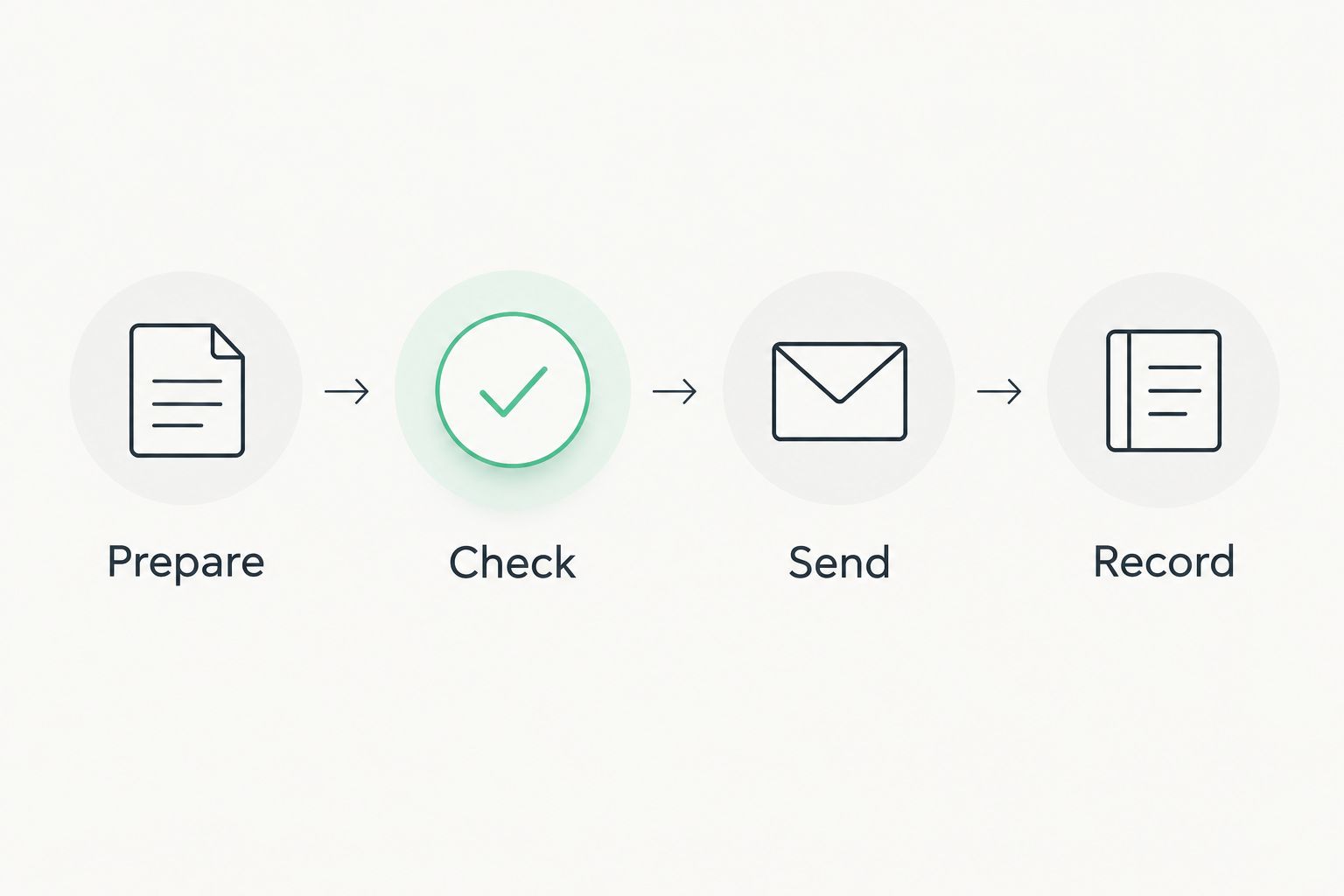
The process is a sequence, not just a design task: prepare the document, check it, send it and record what happens next.
What information should a Word invoice include?
Use the following checklist for an ordinary business invoice. Additional information depends on your transaction, customer requirements and applicable tax rules.
| Invoice field | What to include | Why it matters |
|---|---|---|
| Supplier details | Your business name and relevant contact information | Identifies who is requesting payment |
| Customer details | The correct billing name and relevant address | Helps the customer route and approve the invoice |
| Invoice reference | A unique identifier | Connects the document to payments and correspondence |
| Dates | Issue date and agreed payment due date | Makes the payment deadline explicit |
| Item breakdown | Descriptions, quantities, rates and line totals | Explains the basis of the bill |
| Adjustments | Applicable tax, discounts or payments received | Explains differences between subtotal and balance |
| Amount due | The remaining balance and currency | States what the customer must pay |
| Payment instructions | Agreed method, recipient details and reference | Tells the customer how to settle the invoice |
For Ghanaian cedi transactions in 2026, label the currency clearly, such as GHS, instead of assuming the customer will infer it. Do not add tax labels or registration details that do not apply to your business.
Keep purchase-order references, delivery references and project names where the customer requires them. These details connect the invoice to the customer's own records; they should not be hidden in a long closing note.
Should I use Word, Excel or invoicing software?
Microsoft Word is best for document layout; Microsoft Excel is best for formula-based calculations; invoicing software is best for a connected billing workflow. Choose according to the work you need to manage, not the appearance of the sample invoice.
| Option | Best for | Main advantage | Main limitation |
|---|---|---|---|
| Microsoft Word | Manually prepared invoices with flexible descriptions | Direct control over wording and layout | Calculations and payment records need deliberate checks |
| Microsoft Excel | Itemised bills with repeated calculations | Formulas can calculate line totals and balances | Incorrect formulas or overwritten cells produce incorrect results |
| Invoicing software | Businesses needing connected billing records | Suitable products can connect invoices, customer records and payment status | Features vary, and setup requires checking your workflow |
Word is a sensible choice when you can manage the checking and record-keeping yourself. It becomes less suitable when copying customer details, updating totals and following up payments creates repeated mistakes or duplicated work.
Excel addresses arithmetic more directly, but a spreadsheet does not make the underlying entries correct. You still need to verify quantities, formulas, payment details and the final document.
Invoicing software deserves consideration when your problem is managing invoices rather than designing them. Before choosing a system, check its actual capabilities against your needs, including applicable Ghanaian invoicing requirements.
Why does creating an invoice in Word vary in difficulty?
The editing work depends on what the invoice must explain. These factors determine whether a simple template remains useful or becomes cumbersome:
- Item detail: A short description is easier to format than a bill containing many distinct products, quantities and delivery references.
- Billing basis: A fixed project, hourly service and goods sale need different descriptions and supporting details.
- Adjustments: Discounts, applicable taxes and payments already received require clear labels and checked calculations.
- Customer requirements: Purchase-order references, billing addresses and department names add fields you must verify.
- Payment tracking: Partial payments and overdue balances create record-keeping work beyond the invoice itself.
- Document length: Long descriptions and extended item tables require checking headings, page breaks and the position of the final balance.
For your 2026 invoice master, include the fields you genuinely use. An overloaded template encourages you to leave irrelevant labels and old information in place.
Can I send a Word invoice as a PDF?
Yes, send the finished invoice as a PDF when you want to preserve its layout for the recipient. Word provides PDF export or save options, although the exact menu depends on the version you use.
Open the exported file before attaching it. Check that no table columns disappear, no payment instructions spill onto an otherwise empty page and no old customer details remain.
A PDF is not proof of payment and does not make an invoice tax-compliant. It is a delivery format for the information you have prepared.
Can I reuse the same Word invoice template?
Yes, reuse the layout, but create a separate file for each invoice. Keep a clean master with blank customer fields and no previous transaction details.
A useful 2026 filing routine is to name each finished file using its invoice reference and customer name. Keep the issue date, due date and payment status in 1 payment register rather than trying to remember them from filenames alone.
Skillspad sells digital business templates for businesses in Ghana. Skillspad's business templates are relevant when you want a reusable starting structure; you still need to check the chosen file's contents, edit transaction details and maintain payment records yourself.
Is a Word invoice enough for a business in Ghana?
A Word invoice can document a payment request, but whether it meets your obligations depends on the transaction and applicable rules. Your tax registration, customer requirements and any required invoicing system determine what else you must provide.
Do not treat a template's tax headings as instructions to charge tax. Confirm what applies to your business through current Ghana Revenue Authority guidance or a qualified adviser before issuing the document.
FAQ
Can I create an invoice using Word without a template?
Yes, you can create an invoice using Word from a blank document. Add your business and customer details, a unique reference, dates, an item table, the amount due and payment instructions.
What's the best format for sending a Word invoice?
PDF is best when you want to preserve the finished invoice layout for the recipient. Keep the editable Word file separately and check the exported PDF before sending it.
Does Word calculate invoice totals automatically?
Word supports table formulas, but you must insert and check them rather than assume totals update correctly. Verify every line total and the final balance before sending the invoice.
Is Word better than Excel for invoices?
Word is better for flexible document layout, while Excel is better for formula-based calculations. Both require accurate entries and a separate process for tracking payments.
Can I use mobile money details on my invoice in Ghana?
Yes, include mobile money details when that is an agreed payment method. Show the correct recipient details and ask the customer to identify the invoice when confirming payment.
Is an invoice the same thing as a receipt?
No, an invoice requests payment, while a receipt acknowledges payment received. Update your records when payment arrives rather than treating the original invoice as proof of settlement.
Does a professional Word invoice meet Ghana's tax requirements?
A professional layout does not establish tax compliance. Check current Ghana Revenue Authority requirements for your registration and transaction, including whether a prescribed invoicing system applies.
One last thing
The most useful invoice field after sending is its payment status, and that belongs in your records. A neatly formatted document cannot tell you whether a customer has paid unless you update a register or billing system.
Before creating another invoice layout, establish a routine for recording issued invoices, payments received and outstanding balances. That turns an attractive document into part of a working billing process.


